ProtoPie AI is here — Now in Beta. Learn More
ProtoPie AI is here — Now in Beta. Learn More
INSIGHTS & INSPIRATION
PRODUCT LEARNING & SUPPORT
INSIGHTS & INSPIRATION
PRODUCT LEARNING & SUPPORT
Auto Layout
Triggers & Responses
Interaction Libraries
Connecting Devices
ProtoPie Enterprise
Menu
Auto Layout
Triggers & Responses
Interaction Libraries
Connecting Devices
ProtoPie Enterprise
Editing Components in a Library
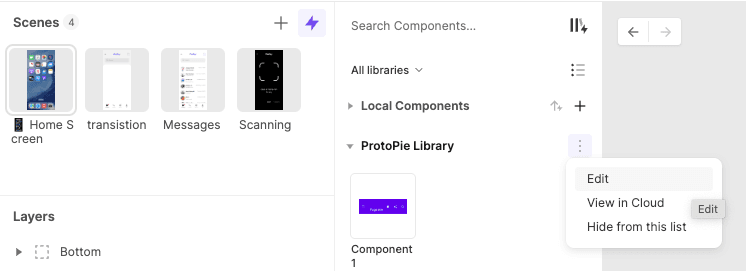
To edit an instance of a component, right-click on it, click the "Edit Main Component" button in the property panel, or access the overflow menu of a library and select the** "Edit"** option. This action will open a new window with a purple banner indicating that you are in library edit mode.
For more details, please refer to our documentation on Interaction Libraries.