ProtoPie AI is here — Now in Beta. Learn More
ProtoPie AI is here — Now in Beta. Learn More
INSIGHTS & INSPIRATION
PRODUCT LEARNING & SUPPORT
INSIGHTS & INSPIRATION
PRODUCT LEARNING & SUPPORT
Auto Layout
Triggers & Responses
Interaction Libraries
Connecting Devices
ProtoPie Enterprise
Menu
Auto Layout
Triggers & Responses
Interaction Libraries
Connecting Devices
ProtoPie Enterprise
Managing Interaction Recordings
Renaming Interaction Recordings
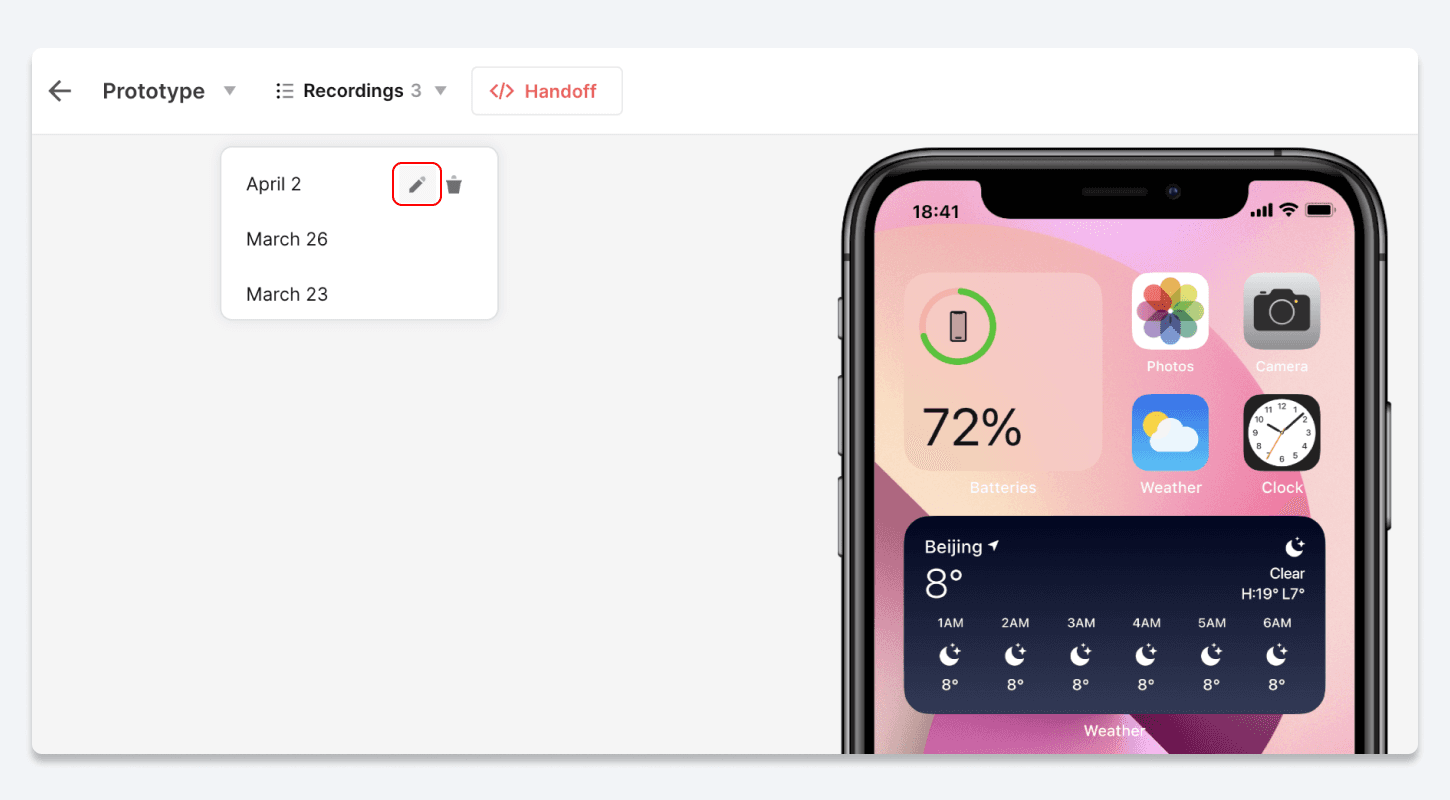
To rename your interaction recordings, simply follow these steps:
Navigate to the Recordings list.
Hover over the recording you wish to rename.
Click on the pencil icon that appears.
Enter a new name for the recording using up to 30 characters.
Deleting Interaction Recordings
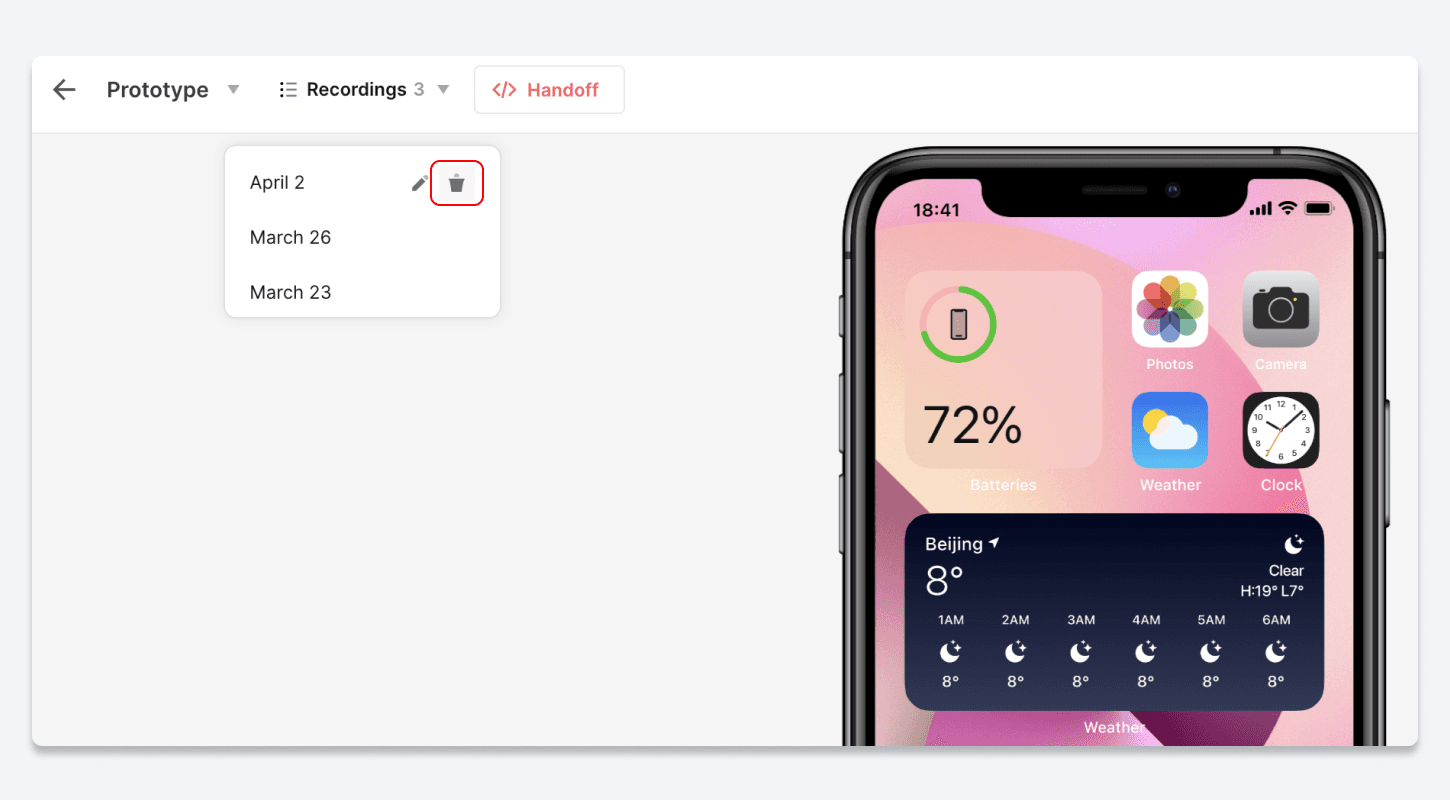
To permanently delete an interaction recording, simply follow these steps:
Navigate to the Recordings list.
Hover over the recording you wish to delete.
Click on the trash icon that appears.