
ProtoPie AI is here — Now in Beta. Learn More
ProtoPie AI is here — Now in Beta. Learn More
INSIGHTS & INSPIRATION
PRODUCT LEARNING & SUPPORT
INSIGHTS & INSPIRATION
PRODUCT LEARNING & SUPPORT
Auto Layout
Triggers & Responses
Interaction Libraries
Connecting Devices
ProtoPie Enterprise
Menu
Auto Layout
Triggers & Responses
Interaction Libraries
Connecting Devices
ProtoPie Enterprise
System Status Bar
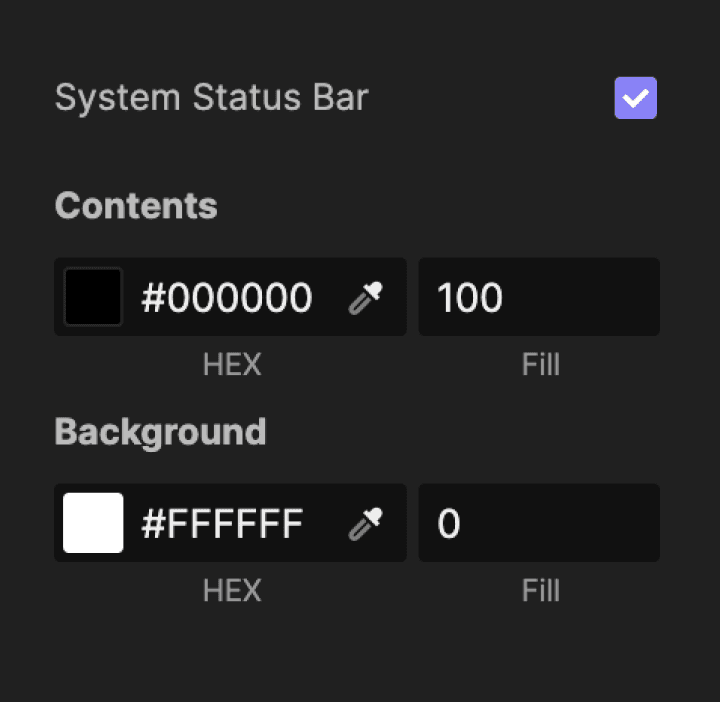
This option allows you to display the native system status bar when previewing prototypes on mobile devices. It has to be activated in the scene’s property panel. The system status bar displays according to the chosen device. It can also be used with a custom device size.
You can change its color for Contents and Background.
You can read the height of the System Status Bar through a predefined variable called $systemStatusBarHeight in the Formula field.
You can change its color for Contents and Background.
You can read the height of the System Status Bar through a predefined variable called $systemStatusBarHeight in the Formula field.