ProtoPie AI is here — Now in Beta. Learn More
ProtoPie AI is here — Now in Beta. Learn More
INSIGHTS & INSPIRATION
PRODUCT LEARNING & SUPPORT
INSIGHTS & INSPIRATION
PRODUCT LEARNING & SUPPORT
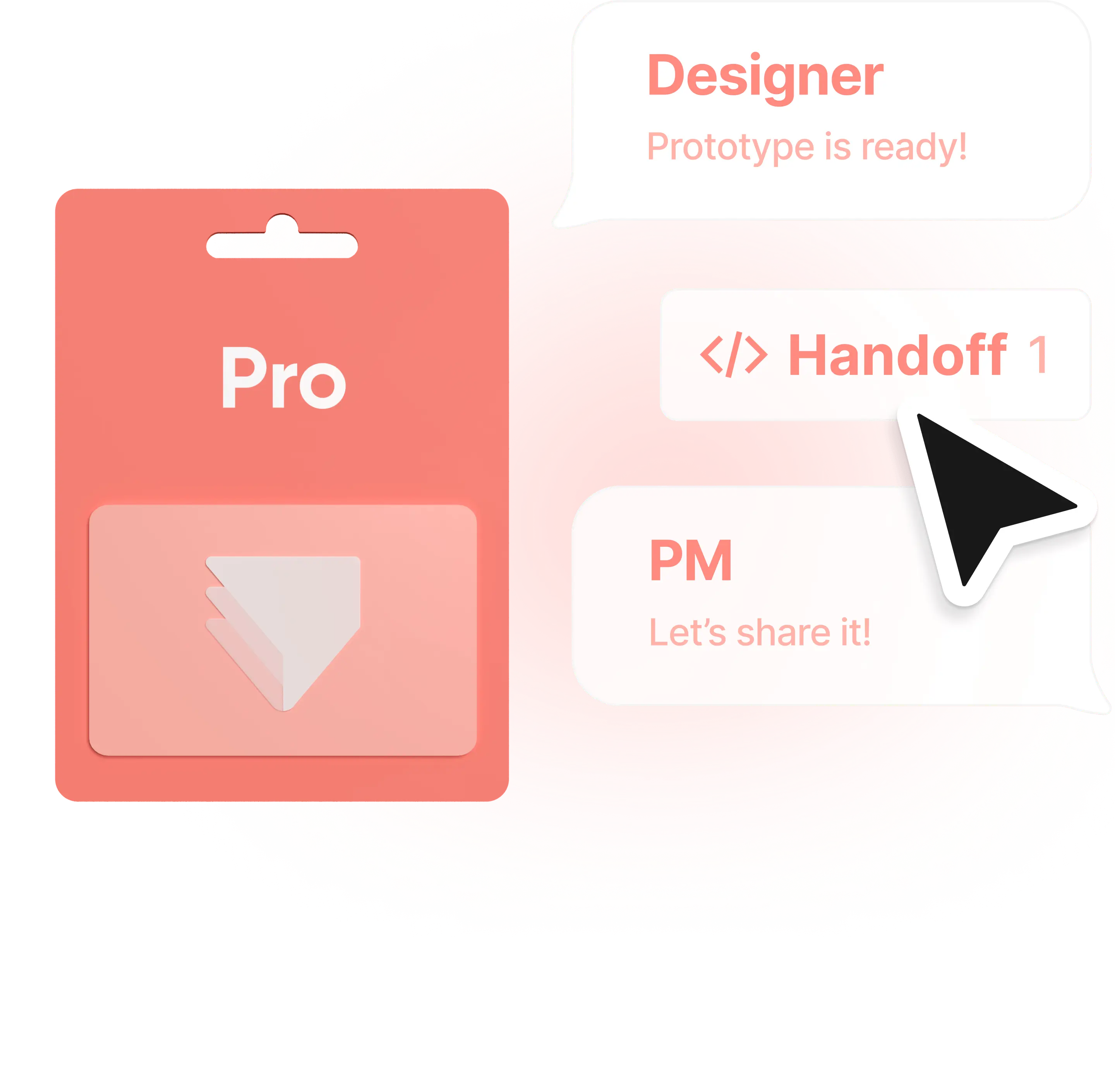
Efficient team collaboration, maximum prototyping
Get a quick overview of the collaboration features available in our Pro plan, from instant feedback to unlimited viewers.
Unlimited projects & scenes
Create as many prototypes with as many scenes as you wish.
Unlimited viewers
Invite an unlimited number of people to view and comment on your prototype. Perfect if you're dealing with a large number of stakeholders.
Team space
Add team members and keep all your prototypes in a single shared space.
Instant feedback
Provide and receive instant feedback to speed up your team's decision-making process, by commenting and discussing directly in ProtoPie Cloud.
Version history timeline
If you need to, you can share links to previous versions of your prototype or download them.
Access control
Have complete control over which team members can access certain projects.
Efficient team collaboration, maximum prototyping
Get a quick overview of the collaboration features available in our Pro plan, from instant feedback to unlimited viewers.
Unlimited projects & scenes
Create as many prototypes with as many scenes as you wish.
Unlimited viewers
Invite an unlimited number of people to view and comment on your prototype. Perfect if you're dealing with a large number of stakeholders.
Team space
Add team members and keep all your prototypes in a single shared space.
Instant feedback
Provide and receive instant feedback to speed up your team's decision-making process, by commenting and discussing directly in ProtoPie Cloud.
Version history timeline
If you need to, you can share links to previous versions of your prototype or download them.
Access control
Have complete control over which team members can access certain projects.
Efficient team collaboration, maximum prototyping
Get a quick overview of the collaboration features available in our Pro plan, from instant feedback to unlimited viewers.
Unlimited projects & scenes
Create as many prototypes with as many scenes as you wish.
Unlimited viewers
Invite an unlimited number of people to view and comment on your prototype. Perfect if you're dealing with a large number of stakeholders.
Team space
Add team members and keep all your prototypes in a single shared space.
Instant feedback
Provide and receive instant feedback to speed up your team's decision-making process, by commenting and discussing directly in ProtoPie Cloud.
Version history timeline
If you need to, you can share links to previous versions of your prototype or download them.
Access control
Have complete control over which team members can access certain projects.
Streamline handoff for your prototypes
Save time and resources when handing over to developers or pitching ideas to your stakeholders, with Interaction Recordings and automated interaction specs.
Step 01.
Record interactions and specific scenarios
With the Pro plan, you can make unlimited interaction recordings.
Step 02.
Generate interaction specs automatically
ProtoPie automatically generates a timeline for your interactions and their specs.
Step 03.
Let anyone scrub through your interaction recordings
Share interaction specs with developers to help them interpret your interaction design intent, hassle-free.
Streamline handoff for your prototypes
Save time and resources when handing over to developers or pitching ideas to your stakeholders, with Interaction Recordings and automated interaction specs.
Step 01.
Record interactions and specific scenarios
With the Pro plan, you can make unlimited interaction recordings.
Step 02.
Generate interaction specs automatically
ProtoPie automatically generates a timeline for your interactions and their specs.
Step 03.
Let anyone scrub through your interaction recordings
Share interaction specs with developers to help them interpret your interaction design intent, hassle-free.
Streamline handoff for your prototypes
Save time and resources when handing over to developers or pitching ideas to your stakeholders, with Interaction Recordings and automated interaction specs.
Step 01.
Record interactions and specific scenarios
With the Pro plan, you can make unlimited interaction recordings.
Step 02.
Generate interaction specs automatically
ProtoPie automatically generates a timeline for your interactions and their specs.
Step 03.
Let anyone scrub through your interaction recordings
Share interaction specs with developers to help them interpret your interaction design intent, hassle-free.
Advanced prototyping with hardware, APIs, multi screens, and more
Enhance your prototypes with ProtoPie Connect. Seamlessly integrate multiple devices, APIs, hardware, and custom layers for dynamic designs.
Mobile & Tablet
Create dynamic prototypes that communicate across devices, enabling captivating interactions.
TV & Productions
Integrate TV remotes for effortless testing and actionable user feedback.
Game
Embed ProtoPie in game engines such as Unity and Unreal, and test using gamepad controllers or G29 with ProtoPie Connect.
Automotive
Fully control complex in-car prototype behavior using real data signals and sensors.
Advanced prototyping with hardware, APIs, multi screens, and more
Enhance your prototypes with ProtoPie Connect. Seamlessly integrate multiple devices, APIs, hardware, and custom layers for dynamic designs.
Mobile & Tablet
Create dynamic prototypes that communicate across devices, enabling captivating interactions.
TV & Productions
Integrate TV remotes for effortless testing and actionable user feedback.
Game
Embed ProtoPie in game engines such as Unity and Unreal, and test using gamepad controllers or G29 with ProtoPie Connect.
Automotive
Fully control complex in-car prototype behavior using real data signals and sensors.
Advanced prototyping with hardware, APIs, multi screens, and more
Enhance your prototypes with ProtoPie Connect. Seamlessly integrate multiple devices, APIs, hardware, and custom layers for dynamic designs.
Mobile & Tablet
Create dynamic prototypes that communicate across devices, enabling captivating interactions.
TV & Productions
Integrate TV remotes for effortless testing and actionable user feedback.
Game
Embed ProtoPie in game engines such as Unity and Unreal, and test using gamepad controllers or G29 with ProtoPie Connect.
Automotive
Fully control complex in-car prototype behavior using real data signals and sensors.

Onboard your team
Follow 4 simple steps to onboard your team quickly and easily.
Onboard your team
Follow 4 simple steps to onboard your team quickly and easily.
Onboard your team
Follow 4 simple steps to onboard your team quickly and easily.
Trusted by the world's best teams



Eduardo Sonnino
,
Senior Designer, Microsoft
"We’ve tried countless prototyping tools and ProtoPie is hands down the most flexible and powerful tool that fits perfectly into any team’s workflow. No matter which tools or platform are being used, we can import our design assets in seconds and make awesome code-free prototypes in minutes."
Trusted by the world's best teams
Eduardo Sonnino
,
Senior Designer, Microsoft
"We’ve tried countless prototyping tools and ProtoPie is hands down the most flexible and powerful tool that fits perfectly into any team’s workflow. No matter which tools or platform are being used, we can import our design assets in seconds and make awesome code-free prototypes in minutes."
Trusted by the world's best teams
Eduardo Sonnino
,
Senior Designer, Microsoft
"We’ve tried countless prototyping tools and ProtoPie is hands down the most flexible and powerful tool that fits perfectly into any team’s workflow. No matter which tools or platform are being used, we can import our design assets in seconds and make awesome code-free prototypes in minutes."
We are here to help
Have a question? Ran into a problem? If so, don’t worry. Get in touch and we’ll help you as soon as possible.


We are here to help
Have a question? Ran into a problem? If so, don’t worry. Get in touch and we’ll help you as soon as possible.
We are here to help
Have a question? Ran into a problem? If so, don’t worry. Get in touch and we’ll help you as soon as possible.
FAQs
Does the Pro plan offer a trial period?
The Pro plan does not offer a free trial option. You can either opt for our Free plan or refer to our pricing comparison table for a detailed breakdown of what each plan includes.
How do I upgrade from Basic to Pro?
To upgrade from the Basic to the Pro plan, follow these simple steps:
Visit ProtoPie Cloud.
Click on your account name in the top right corner and select Billing.
On the Manage Billing page, locate the Basic Plan section.
Click the "Upgrade to Pro" button.
Once the upgrade is complete, please contact us for a prorated refund for the unused portion of your Basic plan.
Pro 플랜에 Connect Add-On을 어떻게 추가하나요?
You can choose the Connect add-on directly while subscribing to the Pro plan. If you decide to add it later, simply visit the Manage Billing page on ProtoPie Cloud to purchase the add-on.
If your Pro plan subscription was started before May 9, 2024, and you wish to remove the Connect add-on, follow these steps.
Connect Add-on은 어떻게 청구되나요?
If you're on the Pro plan, you must purchase the Connect add-on for each individual editor from your team, not for the team as a whole.
If your team consists of 5 editors, you must purchase the add-on for each editor; it cannot be applied to just one or a few editors.
The add-on is billed according to your subscription plan: monthly if you're on a monthly plan and annually if you're on an annual plan (applicable to both Basic and Pro plans).
How can I remove the Connect add-on from my Pro plan subscription?
If you subscribed to the Pro plan before May 9, 2024, you cannot directly remove ProtoPie Connect from your existing Pro plan subscription. However, you can transition to a Connect-free subscription by managing your subscription at the end of your current billing cycle. Here's how you can do it:
Cancel your current Pro plan subscription. You will continue to have access to the plan until the end of your billing cycle.
During the subscription process, opt not to include the ProtoPie Connect add-on.
How many prototypes can I create and upload with the Pro plan?
With an editor role, you can create and upload an unlimited number of prototypes to the cloud.
How can I update the number of editor seats in my Pro plan?
As a team owner, you can modify the number of editor seats within your Pro plan team.
To increase the number of editor seats:
Access the Billing page on ProtoPie Cloud
Choose your team from the dropdown menu
Click on the three-dot menu, and select "Manage editor seats" to add seats as needed.
To decrease the number of editor seats:
Cancel your existing plan.
Wait until your current billing cycle ends.
Resubscribe to our Pro Plan with the desired number of editor seats.
When resubscribing, make sure to select the original team space to retain access to all existing pies.
What are the differences between viewers and editors?
Team owners and admins can invite new members to the team as either editors or viewers.
Viewers can access projects, view prototypes, and leave comments. Editors have the same capabilities as viewers, plus they can create prototypes and interaction recordings, and use team libraries and ProtoPie Connect.
For a detailed comparison of the features and permissions of editors and viewers, please refer to our comparison table.
Can I create multiple teams using a single Pro plan subscription?
No, each Pro plan subscription is associated with one team only. If you wish to create multiple teams, each team will require its own separate Pro plan subscription.
However, ProtoPie Enterprise offers the flexibility to create multiple teams. Learn more.
Can Pro plan viewers leave comments on prototypes?
Yes, members who join a Pro plan as viewers can leave comments on prototypes. This enables effective collaboration and feedback within the team.
Is there a storage limit for the Pro plan?
With the Pro plan, you get up to 5GB of cloud storage per team and unlimited storage in your Personal Space. Locally, you can store your Pies without any restrictions.
What happens if I cancel my Pro plan?
If you choose to cancel your active Pro plan, you'll remain subscribed until the end of the current billing cycle. After that, editors in your team won't be able to create, edit, or upload new prototypes to your team space using ProtoPie.
However, all members will still have access to their prototypes as viewers within the team space.
FAQs
Does the Pro plan offer a trial period?
The Pro plan does not offer a free trial option. You can either opt for our Free plan or refer to our pricing comparison table for a detailed breakdown of what each plan includes.
How do I upgrade from Basic to Pro?
To upgrade from the Basic to the Pro plan, follow these simple steps:
Visit ProtoPie Cloud.
Click on your account name in the top right corner and select Billing.
On the Manage Billing page, locate the Basic Plan section.
Click the "Upgrade to Pro" button.
Once the upgrade is complete, please contact us for a prorated refund for the unused portion of your Basic plan.
Pro 플랜에 Connect Add-On을 어떻게 추가하나요?
You can choose the Connect add-on directly while subscribing to the Pro plan. If you decide to add it later, simply visit the Manage Billing page on ProtoPie Cloud to purchase the add-on.
If your Pro plan subscription was started before May 9, 2024, and you wish to remove the Connect add-on, follow these steps.
Connect Add-on은 어떻게 청구되나요?
If you're on the Pro plan, you must purchase the Connect add-on for each individual editor from your team, not for the team as a whole.
If your team consists of 5 editors, you must purchase the add-on for each editor; it cannot be applied to just one or a few editors.
The add-on is billed according to your subscription plan: monthly if you're on a monthly plan and annually if you're on an annual plan (applicable to both Basic and Pro plans).
How can I remove the Connect add-on from my Pro plan subscription?
If you subscribed to the Pro plan before May 9, 2024, you cannot directly remove ProtoPie Connect from your existing Pro plan subscription. However, you can transition to a Connect-free subscription by managing your subscription at the end of your current billing cycle. Here's how you can do it:
Cancel your current Pro plan subscription. You will continue to have access to the plan until the end of your billing cycle.
During the subscription process, opt not to include the ProtoPie Connect add-on.
How many prototypes can I create and upload with the Pro plan?
With an editor role, you can create and upload an unlimited number of prototypes to the cloud.
How can I update the number of editor seats in my Pro plan?
As a team owner, you can modify the number of editor seats within your Pro plan team.
To increase the number of editor seats:
Access the Billing page on ProtoPie Cloud
Choose your team from the dropdown menu
Click on the three-dot menu, and select "Manage editor seats" to add seats as needed.
To decrease the number of editor seats:
Cancel your existing plan.
Wait until your current billing cycle ends.
Resubscribe to our Pro Plan with the desired number of editor seats.
When resubscribing, make sure to select the original team space to retain access to all existing pies.
What are the differences between viewers and editors?
Team owners and admins can invite new members to the team as either editors or viewers.
Viewers can access projects, view prototypes, and leave comments. Editors have the same capabilities as viewers, plus they can create prototypes and interaction recordings, and use team libraries and ProtoPie Connect.
For a detailed comparison of the features and permissions of editors and viewers, please refer to our comparison table.
Can I create multiple teams using a single Pro plan subscription?
No, each Pro plan subscription is associated with one team only. If you wish to create multiple teams, each team will require its own separate Pro plan subscription.
However, ProtoPie Enterprise offers the flexibility to create multiple teams. Learn more.
Can Pro plan viewers leave comments on prototypes?
Yes, members who join a Pro plan as viewers can leave comments on prototypes. This enables effective collaboration and feedback within the team.
Is there a storage limit for the Pro plan?
With the Pro plan, you get up to 5GB of cloud storage per team and unlimited storage in your Personal Space. Locally, you can store your Pies without any restrictions.
What happens if I cancel my Pro plan?
If you choose to cancel your active Pro plan, you'll remain subscribed until the end of the current billing cycle. After that, editors in your team won't be able to create, edit, or upload new prototypes to your team space using ProtoPie.
However, all members will still have access to their prototypes as viewers within the team space.
FAQs
Does the Pro plan offer a trial period?
The Pro plan does not offer a free trial option. You can either opt for our Free plan or refer to our pricing comparison table for a detailed breakdown of what each plan includes.
How do I upgrade from Basic to Pro?
To upgrade from the Basic to the Pro plan, follow these simple steps:
Visit ProtoPie Cloud.
Click on your account name in the top right corner and select Billing.
On the Manage Billing page, locate the Basic Plan section.
Click the "Upgrade to Pro" button.
Once the upgrade is complete, please contact us for a prorated refund for the unused portion of your Basic plan.
Pro 플랜에 Connect Add-On을 어떻게 추가하나요?
You can choose the Connect add-on directly while subscribing to the Pro plan. If you decide to add it later, simply visit the Manage Billing page on ProtoPie Cloud to purchase the add-on.
If your Pro plan subscription was started before May 9, 2024, and you wish to remove the Connect add-on, follow these steps.
Connect Add-on은 어떻게 청구되나요?
If you're on the Pro plan, you must purchase the Connect add-on for each individual editor from your team, not for the team as a whole.
If your team consists of 5 editors, you must purchase the add-on for each editor; it cannot be applied to just one or a few editors.
The add-on is billed according to your subscription plan: monthly if you're on a monthly plan and annually if you're on an annual plan (applicable to both Basic and Pro plans).
How can I remove the Connect add-on from my Pro plan subscription?
If you subscribed to the Pro plan before May 9, 2024, you cannot directly remove ProtoPie Connect from your existing Pro plan subscription. However, you can transition to a Connect-free subscription by managing your subscription at the end of your current billing cycle. Here's how you can do it:
Cancel your current Pro plan subscription. You will continue to have access to the plan until the end of your billing cycle.
During the subscription process, opt not to include the ProtoPie Connect add-on.
How many prototypes can I create and upload with the Pro plan?
With an editor role, you can create and upload an unlimited number of prototypes to the cloud.
How can I update the number of editor seats in my Pro plan?
As a team owner, you can modify the number of editor seats within your Pro plan team.
To increase the number of editor seats:
Access the Billing page on ProtoPie Cloud
Choose your team from the dropdown menu
Click on the three-dot menu, and select "Manage editor seats" to add seats as needed.
To decrease the number of editor seats:
Cancel your existing plan.
Wait until your current billing cycle ends.
Resubscribe to our Pro Plan with the desired number of editor seats.
When resubscribing, make sure to select the original team space to retain access to all existing pies.
What are the differences between viewers and editors?
Team owners and admins can invite new members to the team as either editors or viewers.
Viewers can access projects, view prototypes, and leave comments. Editors have the same capabilities as viewers, plus they can create prototypes and interaction recordings, and use team libraries and ProtoPie Connect.
For a detailed comparison of the features and permissions of editors and viewers, please refer to our comparison table.
Can I create multiple teams using a single Pro plan subscription?
No, each Pro plan subscription is associated with one team only. If you wish to create multiple teams, each team will require its own separate Pro plan subscription.
However, ProtoPie Enterprise offers the flexibility to create multiple teams. Learn more.
Can Pro plan viewers leave comments on prototypes?
Yes, members who join a Pro plan as viewers can leave comments on prototypes. This enables effective collaboration and feedback within the team.
Is there a storage limit for the Pro plan?
With the Pro plan, you get up to 5GB of cloud storage per team and unlimited storage in your Personal Space. Locally, you can store your Pies without any restrictions.
What happens if I cancel my Pro plan?
If you choose to cancel your active Pro plan, you'll remain subscribed until the end of the current billing cycle. After that, editors in your team won't be able to create, edit, or upload new prototypes to your team space using ProtoPie.
However, all members will still have access to their prototypes as viewers within the team space.