
TL;DR
Adobe XD offers a range of fantastic vector-based UI and UX design capabilities.
ProtoPie, however, is a no-code prototyping tool that allows designers to create hyper-realistic interactive prototypes.
By using the ProtoPie plugin for Adobe XD integration, designers can create a seamless end-to-end design workflow and benefit from each tool’s specific capabilities.
By using the right tools, design teams can collaborate effectively, create high-fidelity prototypes, gain invaluable user feedback at an early stage, and speed up the development process from start to finish.
But which tools are right for your team? How do you know which solutions to implement and which to avoid?
Here at ProtoPie, we’re taking a deep dive into some of the most popular and well-loved prototyping tools currently on the market. We’ve already analyzed how ProtoPie stacks up against Figma and Framer. Now, let’s take a look at how ProtoPie compares to Adobe XD.
This article will explain how ProtoPie’s Adobe XD integration allows you to use both tools into your design processes.
Specifically, the article covers:
An overview of Adobe XD’s key features & prototyping capabilities
How you can have the best of both worlds by using ProtoPie & Adobe XD together
Adobe XD: an overview
Adobe XD is a vector-based UI and UX design tool that can be used to design anything from smartwatch apps to fully-fledged websites. It’s powerful, easy-to-use, offers cross-platform compatibility, and is available on both Mac and Windows systems. In short, Adobe XD offers design teams everything they need to collaborate effectively and craft jaw dropping experiences.
Adobe XD features
Adobe XD has a variety of features that help users design first-class digital experiences.
These include:
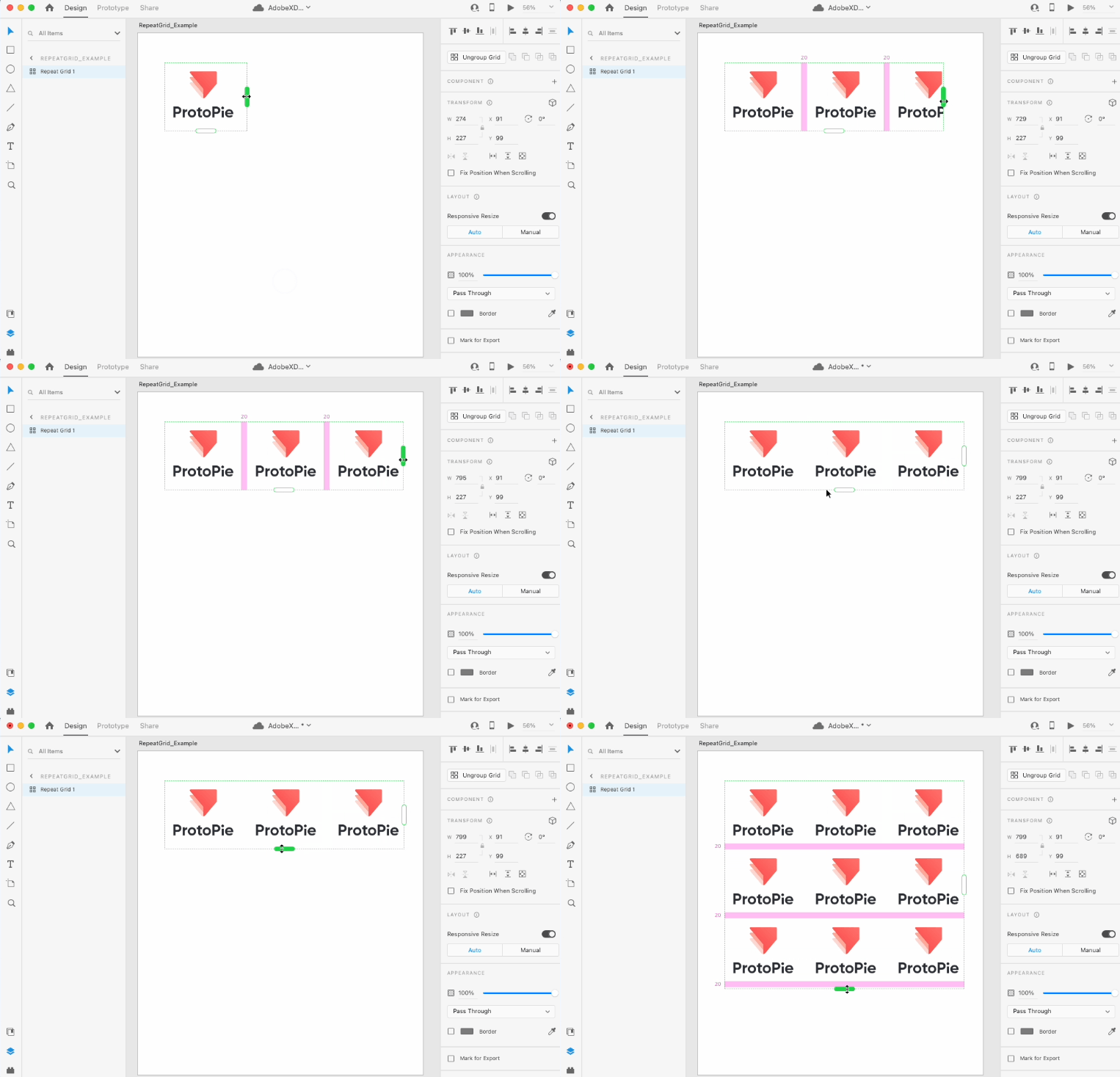
With the Repeat Grid function, users can create sets of replicated elements and explore different designs in Adobe XD.
Prototyping in Adobe XD: what to expect from your XD prototypes
Adobe XD does offer a limited range of interactive prototyping capabilities. For example, users can create simple animations in Adobe XD, using the auto-animate feature to introduce movement to their XD prototype. Then, they can use the prototype function to visually connect interactive areas to other screens using wires and transitions.
If you’re using Adobe XD and want to achieve more complex interactions, ProtoPie is the perfect complement to your workflow.
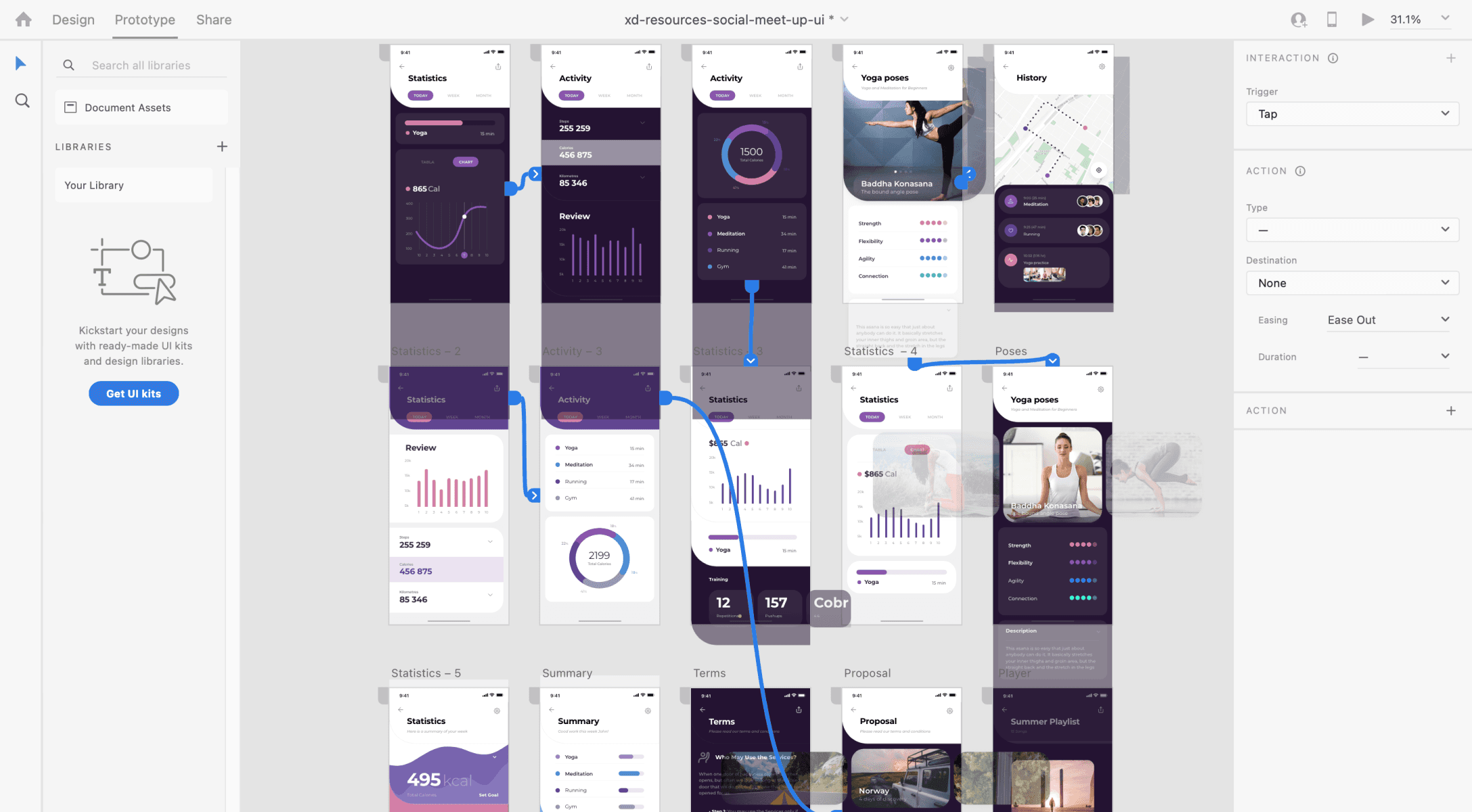
Adobe XD’s Prototype mode.
In the following section, we will describe in more depth how ProtoPie complements Adobe XD.
What makes ProtoPie unique?
ProtoPie is the easiest high-fidelity prototyping tool on the market. It’s entirely no-code, yet it allows designers to create realistic designs with advanced interactions, formulas, and variables.
In fact, ProtoPie offers certain features that make their prototypes far richer than XD prototypes (hence why we created our Adobe XD integration). Some of these features include:
Smart Device Sensors, e.g., gyroscope and compass
Now let’s dive into more details to see what each of these features has to offer.
Experiment with multi-touch gestures
In ProtoPie, touch triggers are activated when users physically touch a smart device’s display. The trigger can be activated by, for example, a tap, long press, or drag. ProtoPie animation also supports other multi-touch gestures, such as pinch, pull, and rotate.
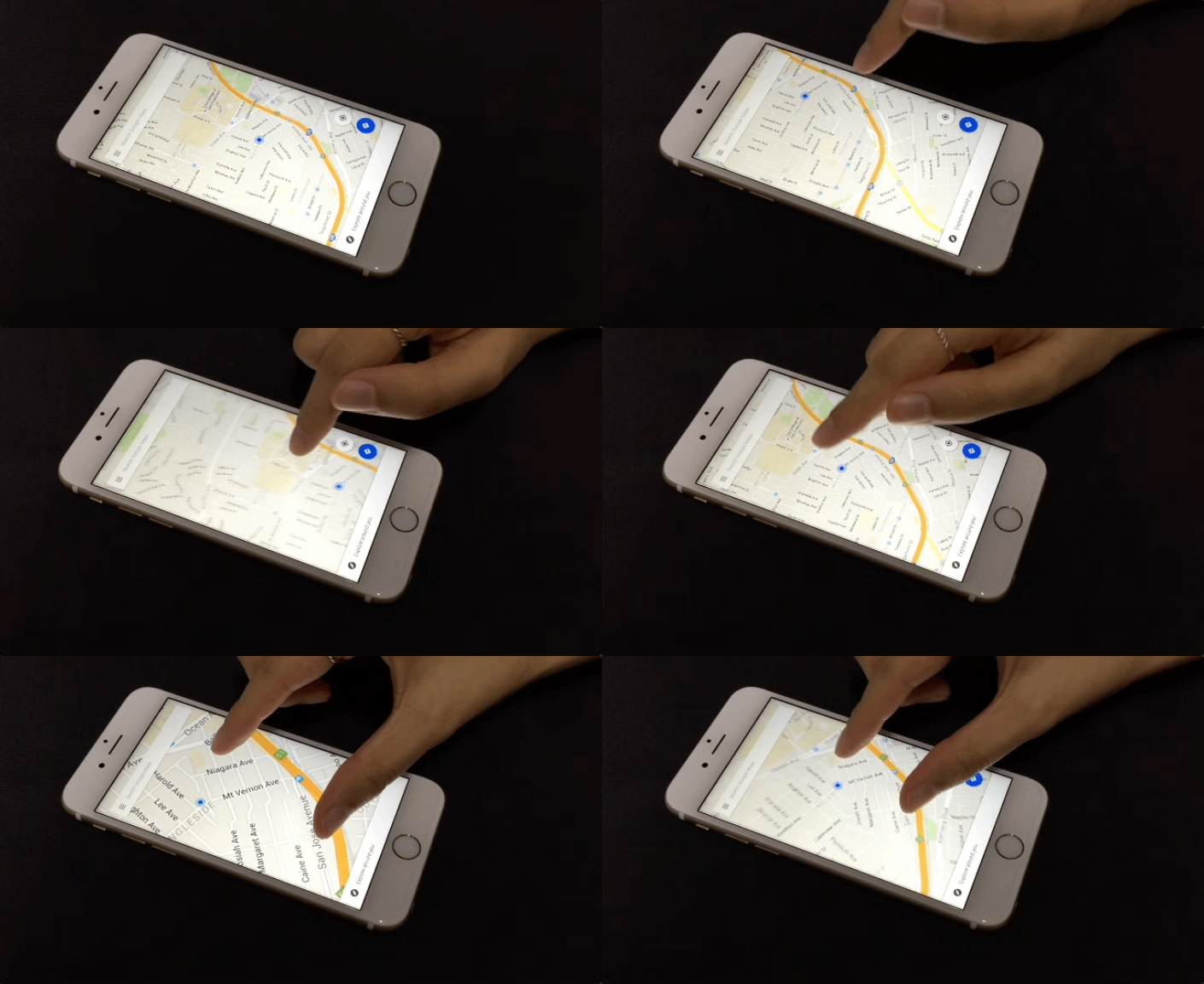
Example of a draggable map prototype created in ProtoPie Studio using the drag and pinch triggers.
If you want to learn how to recreate the prototype above, check out this AskProtoPie
Use conditional logic for more complex interactions
Unlike touch triggers, conditional triggers activate interactions based on specific conditions. For example, users can choose to automatically move a layer to another predetermined location when the prototype starts running.
ProtoPie animation supports a range of additional conditional triggers including chain, range, start, and detect.
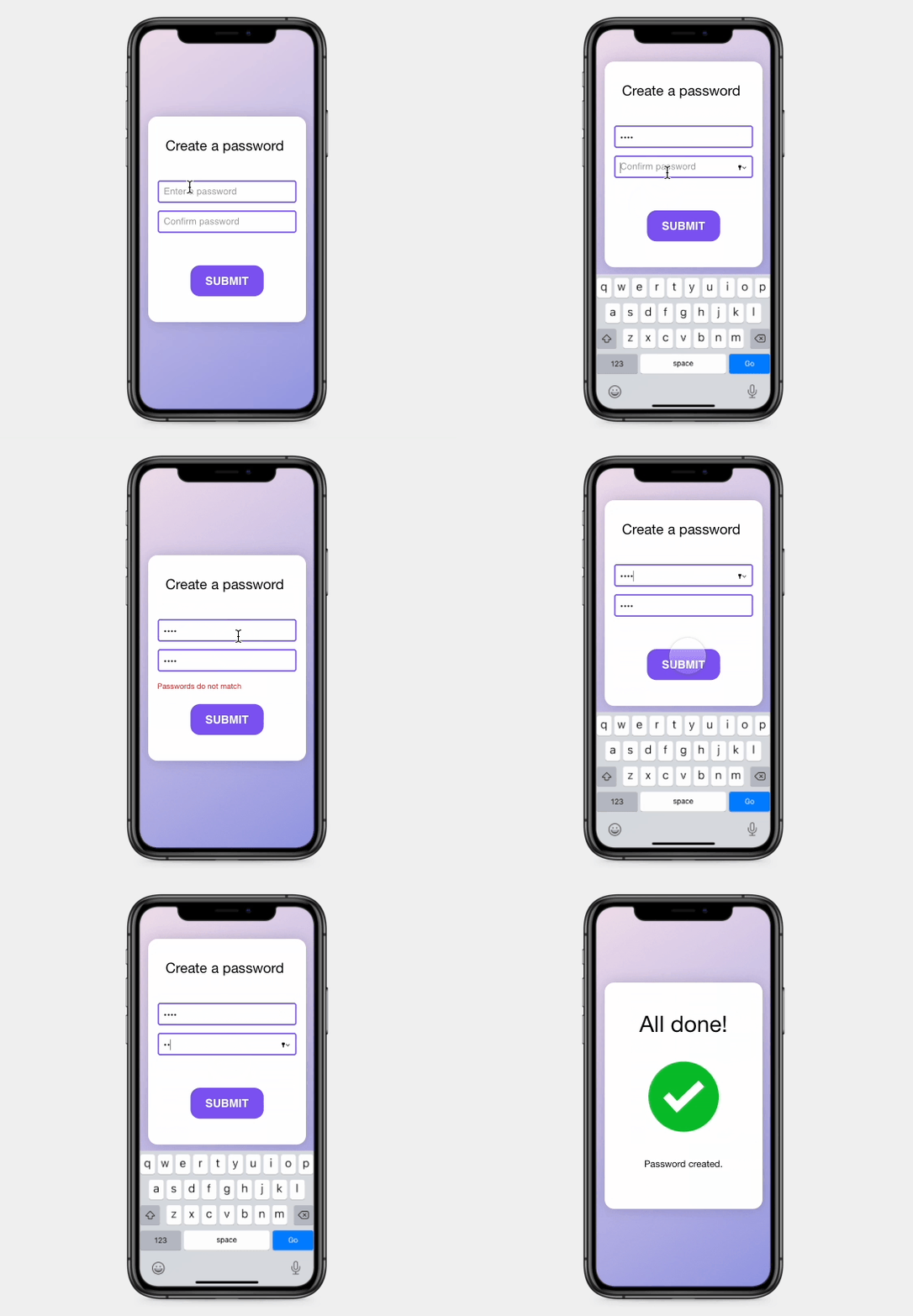
Password validation example using conditions in ProtoPie.
Create realistic camera interactions using ProtoPie's native sensor features
When creating prototypes in ProtoPie, users can leverage their device’s native capabilities, such as the camera, vibration, tilt, compass, and 3D touch. Check out the tutorial below and learn how to create a simple, yet believable camera interaction using ProtoPie's native sensor features.
Build prototype with sensors without using any code
Still not convinced that ProtoPie is a better prototyping tool compared to Adobe XD? If so, this should change your mind.
ProtoPie allows you to experiment with sensor triggers such as tilt, compass, sound, 3D touch, and proximity. For example, the tilt trigger will change the prototype’s response based on the angle of your device. If you turn your device on its side, the prototype reacts accordingly. Similarly, if you apply the compass trigger to your prototype, its response will be determined by the direction your device is pointing towards.
Prototype using sensors without coding with ProtoPie.
To sum up, ProtoPie allows you to create hyper-realistic interactions that go far beyond Adobe XD's auto-animate transitions.
Want to learn more about what else is possible with ProtoPie? Take a look at some example prototypes that our users have made.
ProtoPie + Adobe XD: the workflow that gives you an edge
Many digital designers like to begin their design process in Adobe XD. However, with the ProtoPie Plugin for Adobe XD (which is available on macOS and Windows), users can then import their initial designs from XD into ProtoPie. Import multiple artboards as scenes all at once, and import objects while keeping the same layer hierarchy, positioning, and constraints as you had when designing in Adobe XD.
Once your designs are in ProtoPie, you can then get to work creating lifelike, interactive prototypes that you can hold, touch, and fully experience.

Import Adobe XD designs in ProtoPie Studio and add dynamic, conditional interactions to create high-fidelity prototypes.
Plug your prototyping capability gaps
Adobe XD has many features that help designers turn vague concepts into powerful designs. However, with the ProtoPie plugin you can leverage more advanced prototyping capabilities.
Level up your prototypes by using ProtoPie functions. With ProtoPie, you can create:
Realistic, customized interactions
Conditional interactions
Cause-and-effect interactions
Interactions involving text input, voice, media playback, sensors, and multiple devices
Interactions with specific touchscreen triggers
Learn more about how to establish a seamless workflow with ProtoPie & Adobe XD.